Thermostat Screen Is Blank: What to Check Before an HVAC Service Call
A dark thermostat is often the first visible sign that control power disappeared somewhere else. Start with the thermostat’s power type, then check the safe, accessible parts of the HVAC power path without bypassing a safety or shorting wires.
10 min read | Updated 2026-08-23
Written and reviewed by the GTA HVAC Pros service team.
A blank screen usually means the thermostat lost power
Carrier’s thermostat guidance points first to lost electrical power: depleted thermostat batteries, an interrupted HVAC circuit, an off furnace switch, or an access panel that is not seated. The thermostat itself can fail, but replacing it before checking the power path can leave the real fault untouched.
Note when the screen went dark and what happened just before it: filter replacement, furnace service, a power outage, a breaker trip, cooling that stopped with water near the unit, or renovation work. Those details narrow the search much faster than repeatedly tapping the display.
Identify how this thermostat is powered
Some thermostats rely on replaceable batteries, some receive low-voltage power from the furnace or air handler, and some use both. Communicating controls may have model-specific power and wiring. Check the model label and owner’s instructions before pulling the faceplate or buying batteries.
If the model uses batteries, install the specified type in the correct orientation and make sure the contacts are clean and undamaged. A thermostat that comes back after fresh batteries still deserves a system check if it goes blank again, loses settings, or fails whenever heating or cooling starts.
Check the HVAC breaker and service switch once
The wall display may receive power through the furnace or fan coil even during air-conditioning season. Check the electrical panel for a clearly labelled HVAC, furnace, air-handler, or heat-pump circuit and look for a switch near the indoor equipment that resembles a light switch.
If a breaker is clearly tripped and it is safe and familiar to reset, follow the panel and equipment instructions. Do not repeatedly reset a breaker that trips again, and do not remove covers or touch wiring. A repeated trip, burning smell, heat, buzzing, or water near electrical equipment needs qualified service.
A loose furnace door can interrupt control power
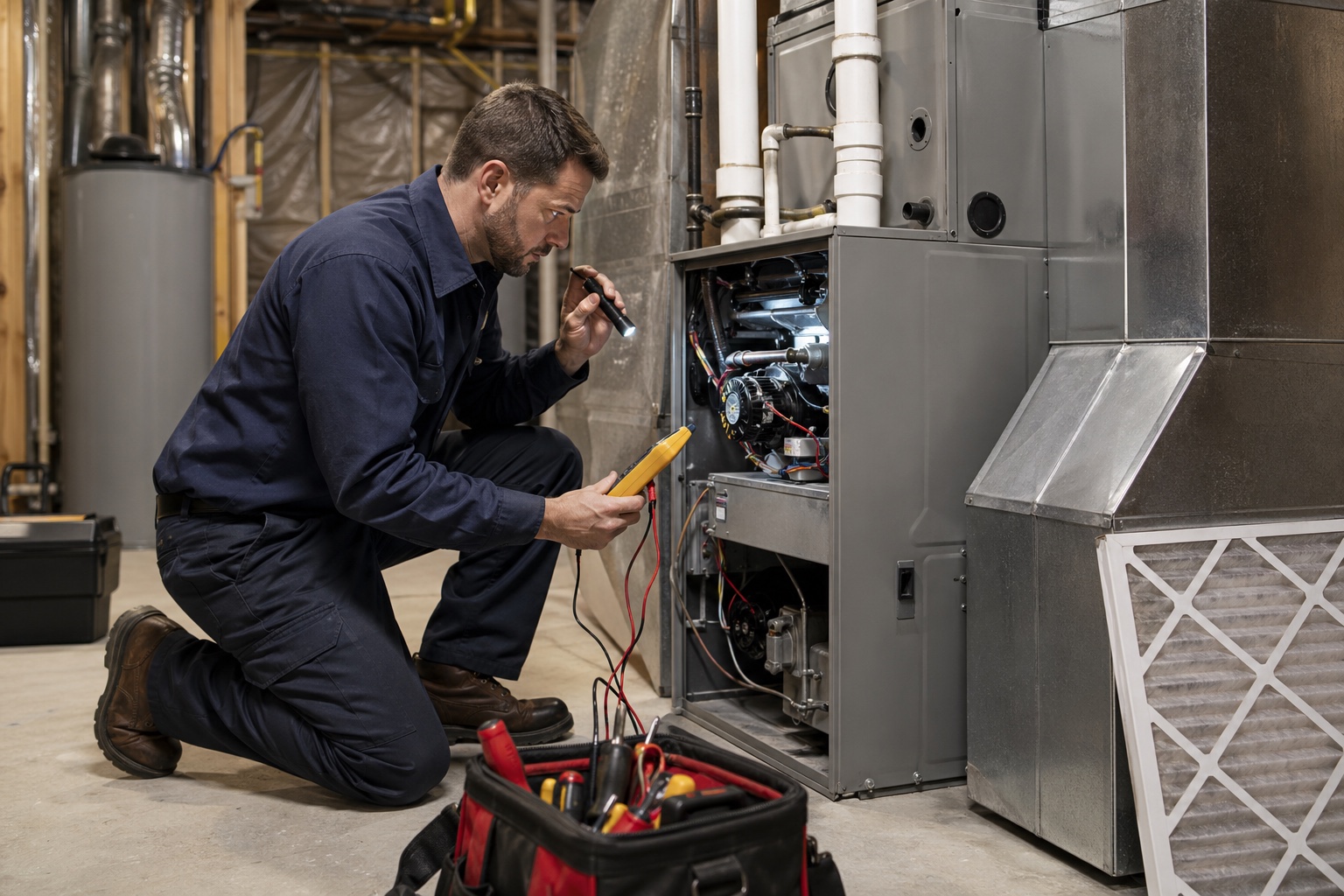
Many furnaces have an interlock that stops operation when the blower access panel is removed. After a filter change or inspection, a panel that is crooked, reversed, or not fully seated can leave the thermostat dark even though the breaker and wall switch are on.
With the system off as directed by the manufacturer, visually check that the normal removable panel is installed in its correct position. Do not tape down, hold, or bypass the door switch. If the panel will not seat without force, leave it off and have the fit or internal obstruction checked.
Water at the indoor unit can trigger a condensate safety
During cooling, a blocked drain or failed condensate pump can raise a float switch. Depending on how the system is wired, that safety may stop cooling, interrupt thermostat power, or both. A blank display accompanied by water in the drain pan or around the furnace is not a reason to bypass the switch.
Turn cooling off, protect the area from further water damage, and note whether the drain pan or pump reservoir is full. Clearing the water without correcting the blockage, pump, trap, slope, or drain connection may only reset the symptom until the next cooling cycle.
The low-voltage fault may be inside the equipment
If batteries, breaker, switch, and access panel are not the cause, the control-power path may involve a transformer, low-voltage fuse, control board, splice, thermostat cable, accessory, or safety circuit. A recent thermostat or accessory installation can also expose a wiring or compatibility issue.
Leave these checks to a technician. Thermostat conductors can be low voltage, but they control equipment connected to higher-voltage power, and accidentally shorting them can damage a transformer, board, or fuse. Do not twist wires together to “call” for heating or cooling.
A lit screen with no heating or cooling is a different symptom
When the display works, confirm the mode, setpoint, schedule, hold, fan setting, and any equipment delay before diagnosing a blank-screen problem. Modern controls may intentionally wait several minutes before restarting equipment. An app connection does not prove the furnace, fan coil, or outdoor unit is available.
Record whether the thermostat says heating or cooling is active, whether the indoor blower starts, and whether the outdoor unit runs. A live display with no response can point to settings, wiring, safeties, controls, or equipment faults that need a different test sequence.
Communicating controls and fault messages need model-specific handling
Communicating thermostats exchange information with matched equipment and may show alerts in the wall control or app. Carrier Canada directs owners with thermostat fault-code messages to product-specific dealer support. Photograph the exact message before rebooting or clearing anything.
Do not replace a communicating system control with a generic thermostat because the terminals appear similar. Zoning, variable-capacity equipment, heat pumps, humidification, accessories, and proprietary communication can depend on the correct control and configuration.
Replacement starts with compatibility, not screen size
If diagnosis confirms a failed thermostat, document the existing model, terminal labels, wire count, equipment models, heating stages, cooling stages, heat-pump arrangement, accessories, zoning, and available common wire. Take a clear wiring photograph before anything is disconnected.
The replacement must support the actual system and be configured for it. A thermostat can power up and still run equipment incorrectly if staging, reversing-valve logic, fan control, fuel type, sensors, or installer settings are wrong. Commission both heating and cooling after installation rather than waiting for the next season.
Give the technician a short, useful fault record
Have the thermostat and equipment models, time of failure, recent work, battery result, breaker and switch condition, panel condition, water or odour observations, app status, and any earlier code ready. Mention whether the display returns intermittently or after the equipment cools or dries.
The service visit can then trace power from the equipment to the control, test safeties and accessories, inspect the thermostat cable and terminals, and confirm the equipment sequence. The repair is complete when the cause of the lost display is corrected and the matched system operates through a full call—not simply when the screen lights up again.
Sources and methodology
This guide was reviewed against the linked official material. It is general planning information, not a substitute for an on-site diagnosis, manufacturer instructions, emergency response, or a written quote.
- Carrier Canada — Thermostat replacement guide
Canadian manufacturer guidance identifying a blank or unresponsive display as a thermostat or system issue and stressing equipment compatibility.
- Carrier — Common thermostat issues and troubleshooting
Manufacturer guidance on batteries, HVAC breakers, furnace power switches, access panels, blank displays, and safe troubleshooting limits.
- Carrier Canada — Product and thermostat fault support
Current Canadian direction to involve a dealer when the thermostat displays equipment fault information or needs product-specific support.
Related Toronto HVAC guides
HVAC Emergency: What to Do Before the Technician Arrives
When heating or cooling fails, the first 15 minutes matter. Here is what to check yourself and what to have ready when you call.
Why a Furnace Turns On and Off Too Often: A Toronto Short-Cycling Guide
Short cycling is a symptom, not a diagnosis. The useful clues are which part starts, how long it runs, what shuts off first, and whether the thermostat is ever satisfied.
Why Is Water Leaking From My Air Conditioner?
An air conditioner is supposed to remove moisture, but that water should reach the drain—not the furnace room floor or a finished ceiling. Shut down an active indoor leak, protect the area, then trace whether the problem is drainage, ice, airflow, or another nearby source.